
Start with the operating model
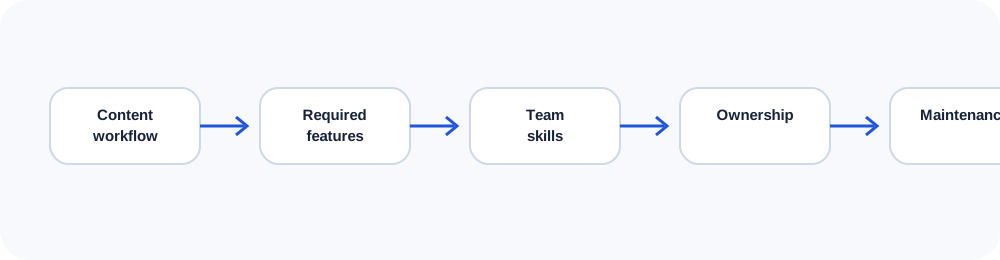
The best platform is the one the organization can operate safely and efficiently. Before comparing brand names, define who publishes, how often content changes, which integrations are required, who maintains updates, and what ownership means. A platform that is easy during the sales demo can become difficult over several years.
In practice, this means documenting the decision, assigning ownership and checking the result after launch. The details vary by project, but the principle remains the same: make the system understandable enough that another qualified person can maintain it without guessing.
Static HTML and generated sites
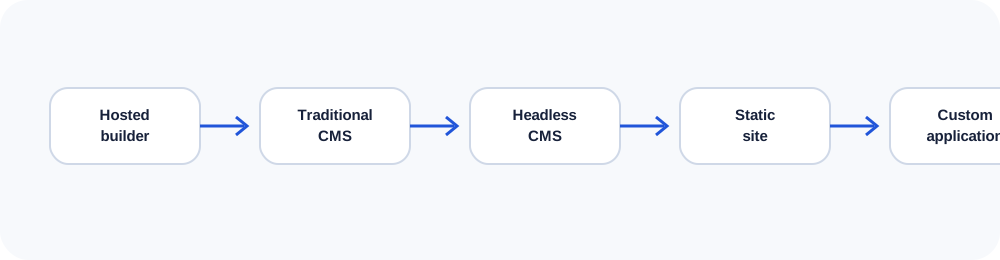
Static websites can be extremely fast, secure and inexpensive to host. They suit sites with controlled publishing and limited editor needs. Updates may require a developer unless a static generator or lightweight editing workflow is added. Their simplicity is a strength when the business does not need a large plugin ecosystem.
In practice, this means documenting the decision, assigning ownership and checking the result after launch. The details vary by project, but the principle remains the same: make the system understandable enough that another qualified person can maintain it without guessing.
WordPress and traditional CMS platforms
WordPress offers familiar editing, broad hosting support and a huge extension ecosystem. It can be appropriate when content teams need frequent control and the site uses well-maintained components. The same ecosystem can create plugin conflicts, update burden and security exposure when poorly governed.
In practice, this means documenting the decision, assigning ownership and checking the result after launch. The details vary by project, but the principle remains the same: make the system understandable enough that another qualified person can maintain it without guessing.
Hosted builders and ecommerce platforms
Wix, Squarespace and Webflow reduce server administration and can speed up smaller projects. Shopify is designed around ecommerce operations and often provides a strong default for product businesses. Hosted platforms trade some control and portability for convenience, integrated support and predictable operations.
In practice, this means documenting the decision, assigning ownership and checking the result after launch. The details vary by project, but the principle remains the same: make the system understandable enough that another qualified person can maintain it without guessing.
Headless CMS and custom systems
A headless CMS separates editorial content from the front-end experience. It can support multiple channels and modern development workflows, but it adds architecture, APIs, deployment and preview complexity. Custom software is justified when workflows, permissions, pricing, integrations or data models cannot be expressed safely in ordinary platforms.
In practice, this means documenting the decision, assigning ownership and checking the result after launch. The details vary by project, but the principle remains the same: make the system understandable enough that another qualified person can maintain it without guessing.
Build a weighted decision
Score each option against editorial workflow, ecommerce, integrations, performance, accessibility, security, portability, hosting, support and total maintenance. Weight the criteria according to business importance. Include migration and exit costs. A transparent matrix makes trade-offs visible and reduces platform decisions based on familiarity alone.
In practice, this means documenting the decision, assigning ownership and checking the result after launch. The details vary by project, but the principle remains the same: make the system understandable enough that another qualified person can maintain it without guessing.
Use the companion workbook
Turn the ideas in this lesson into a documented audit, decision or implementation plan.
Frequently asked questions
Is WordPress still a good choice?
It can be, when its editing benefits outweigh the maintenance burden and the implementation is carefully governed.
Is a custom CMS always expensive?
Custom development usually costs more initially, but may be justified when it replaces inefficient workflows or licensing constraints.
Which CMS is best for ecommerce?
For many standard stores, Shopify is a strong starting point; complex commerce may require different architecture.
Can a CMS affect SEO?
Yes. Templates, performance, URL control, metadata, rendering and editorial quality all affect search readiness.
How should portability be evaluated?
Ask what can be exported, in which formats, and how difficult it would be to recreate templates, redirects and media elsewhere.
Continue learning
Use the next guide, an interactive tool or the related service page to turn this lesson into a practical decision.