
Security is risk management
No website is perfectly secure. The practical objective is to reduce likelihood, limit impact, detect problems quickly and recover reliably. Security decisions should match the value of the data, the complexity of the application and the consequences of downtime or unauthorized access.
In practice, this means documenting the decision, assigning ownership and checking the result after launch. The details vary by project, but the principle remains the same: make the system understandable enough that another qualified person can maintain it without guessing.
HTTPS and transport security
HTTPS encrypts traffic between a visitor and the server and helps verify the destination. Certificates should renew automatically, HTTP requests should redirect safely, and mixed-content warnings should be removed. HTTPS does not secure vulnerable code or weak passwords, but it is a basic requirement.
In practice, this means documenting the decision, assigning ownership and checking the result after launch. The details vary by project, but the principle remains the same: make the system understandable enough that another qualified person can maintain it without guessing.
Updates and dependency control
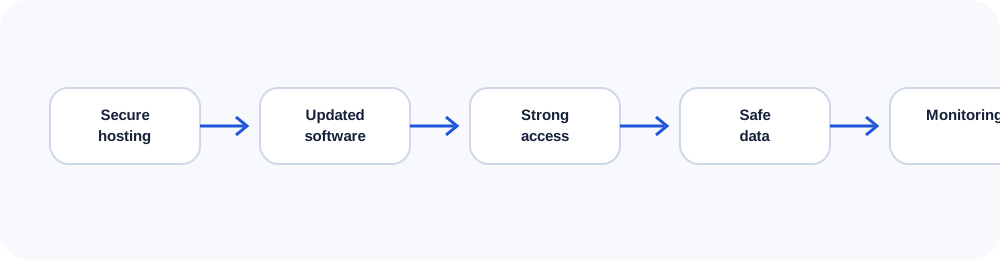
Outdated content-management systems, plugins, themes, frameworks and server packages create avoidable exposure. Fewer dependencies can reduce the maintenance surface, but custom code also requires review. Keep an inventory, apply updates in a tested process and remove components that are no longer used.
In practice, this means documenting the decision, assigning ownership and checking the result after launch. The details vary by project, but the principle remains the same: make the system understandable enough that another qualified person can maintain it without guessing.
Authentication and least privilege
Use unique accounts, strong passwords, multi-factor authentication where available and the minimum permissions each person needs. Shared administrator logins make accountability and revocation difficult. Protect hosting, domain registrar, DNS, email and analytics accounts—not only the CMS.
In practice, this means documenting the decision, assigning ownership and checking the result after launch. The details vary by project, but the principle remains the same: make the system understandable enough that another qualified person can maintain it without guessing.
Backups, monitoring and recovery
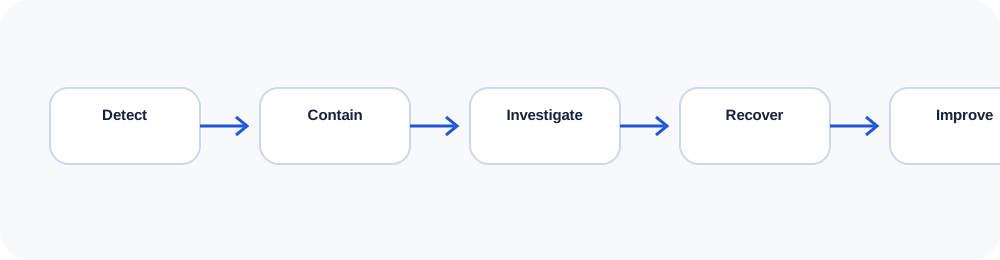
Backups must be automatic, retained separately and tested through restoration. Monitoring should cover uptime, certificate expiry, unexpected file changes, error rates and unusual login activity. Document who responds and how clean versions are recovered.
In practice, this means documenting the decision, assigning ownership and checking the result after launch. The details vary by project, but the principle remains the same: make the system understandable enough that another qualified person can maintain it without guessing.
Secure forms and data handling
Collect only information the business needs. Validate input on the server, protect forms from abuse, keep secrets outside public code, use prepared database queries and define retention rules. Sensitive applications may require encryption at rest, logging controls and professional security testing.
In practice, this means documenting the decision, assigning ownership and checking the result after launch. The details vary by project, but the principle remains the same: make the system understandable enough that another qualified person can maintain it without guessing.
Use the companion workbook
Turn the ideas in this lesson into a documented audit, decision or implementation plan.
Frequently asked questions
Is HTTPS enough to secure a website?
No. HTTPS protects transport; code, access, hosting, data and operations still require controls.
How often should backups run?
The schedule should reflect how much recent data the business can afford to lose.
Do static websites need security?
Yes, though their smaller attack surface can simplify maintenance. Hosting, accounts, forms and deployment still matter.
What is least privilege?
It means giving each account only the access necessary for its role.
Should a site store form submissions?
Only when there is a clear business reason, appropriate protection and a retention policy.
Continue learning
Use the next guide, an interactive tool or the related service page to turn this lesson into a practical decision.