
The request-and-response model
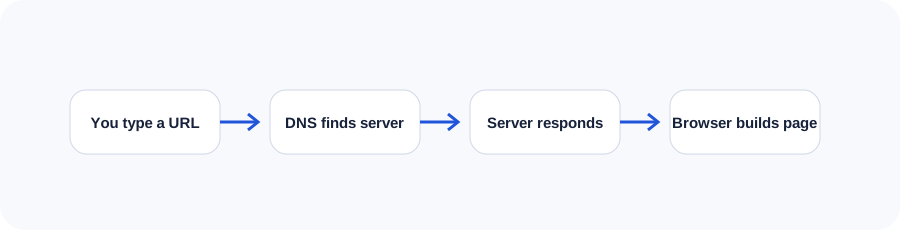
A website feels immediate, but every visit is a coordinated exchange. A person enters an address, the device looks up where that address lives, a server receives a request, and the browser assembles the returned files into an interface.
This model matters because each stage can affect reliability, security and speed. A beautiful page cannot load when DNS is wrong. A fast server cannot rescue oversized images. Clear content can still be difficult to use when the browser receives inaccessible markup.
Domains and DNS
A domain is the human-readable address people remember. DNS is the directory that connects that address to the correct server. Records can direct website traffic, email and verification services. Changes may take time to spread because resolvers cache earlier answers.
Hosting and servers
Hosting provides the computing environment where website files or applications run. A server listens for requests and returns a response. Static hosting may deliver ready-made files. An application server may execute code, read a database and create the response dynamically.
Good hosting decisions consider traffic, application requirements, backups, security, deployment, support and expected growth—not only the advertised storage allowance.
HTML, CSS and JavaScript
HTML describes meaning and structure: headings, paragraphs, links, forms and landmarks. CSS controls presentation and responsive layout. JavaScript adds behaviour, state and communication with other services.
Back ends, APIs and databases
Back-end code handles work that should not happen in the browser: authentication, pricing rules, secure form processing and data access. Databases store structured information. APIs define how systems exchange that information.
These pieces create powerful workflows, but they also add maintenance obligations. Permissions, validation, logs, migrations and recovery plans become part of the product.
What happens during page load
- The browser resolves the domain.
- It creates a secure connection.
- The server returns HTML.
- The browser discovers styles, scripts, fonts and images.
- It builds the document and style models.
- It calculates layout, paints pixels and responds to interaction.
Ownership and maintainability
Teams should know who controls the domain, DNS, hosting, source code, analytics and business profiles. They should also know how the site is deployed, backed up and restored. Ownership is not a technical footnote; it determines whether the organization can safely change providers or recover from a problem.
Use the companion workbook
Turn the lesson into a practical review with prompts, checklists and space for project notes.
Frequently asked questions
What is the difference between a website and a web application?
A website primarily presents information, while a web application supports richer tasks and persistent user interaction. Many modern projects contain elements of both.
Does every website need a database?
No. Static sites can work well without one. A database becomes useful when content, accounts or transactions must be stored and updated dynamically.
Why does a website work on one device but not another?
Cached files, browser differences, network rules, extensions or responsive-code defects can all cause different results.
What does HTTPS do?
HTTPS encrypts traffic between the browser and server and helps confirm that the visitor reached the intended host.
Who should own the domain name?
The business or organization should retain direct control, with trusted administrative access documented.
Continue learning
Use the next guide, an interactive tool or the related service page to turn this lesson into a practical decision.