
Accessibility improves real use
People browse with different vision, hearing, movement, cognition, devices and environments. Accessible design reduces unnecessary barriers and usually improves clarity for everyone.
Start with semantic HTML
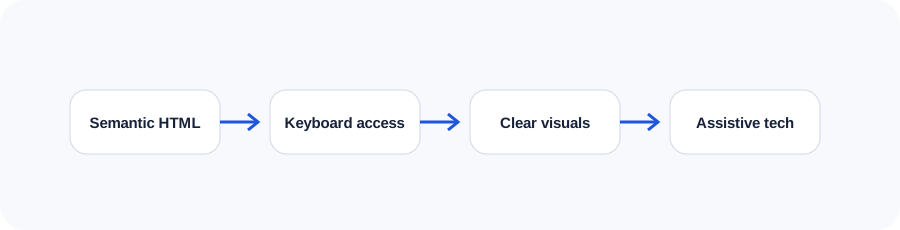
Use headings in a meaningful hierarchy, real buttons for actions, links for navigation, labels for controls and landmarks for page regions. Native elements carry behaviours that are difficult to reproduce reliably with generic containers.
Support keyboard interaction
Every interactive element should be reachable and operable without a mouse. Focus order should follow the interface, focus indicators must remain visible and menus or dialogs should manage focus intentionally.
Create readable visual design
Use sufficient contrast, comfortable text sizing, clear spacing and cues that do not depend on colour alone. Reflow should work at zoom and on narrow screens without hiding content or forcing unnecessary two-dimensional scrolling.
Build understandable forms
Connect every field to a visible label, group related options, identify required information and write errors that explain how to fix the problem. Preserve entered data when validation fails.
Make images and media inclusive
Write alternative text for informative images and leave decorative images empty. Provide captions for prerecorded video with dialogue and transcripts where they improve access or searchability. Avoid unexpected autoplay.
Combine automated and human testing
Automated tools can find missing attributes, contrast issues and structural defects. They cannot judge whether text is meaningful or a workflow makes sense. Combine tools with keyboard testing, zoom, multiple browsers and assistive-technology review.
Use the companion workbook
Turn the lesson into a practical review with prompts, checklists and space for project notes.
Frequently asked questions
What is WCAG?
The Web Content Accessibility Guidelines are internationally used recommendations for making digital content more perceivable, operable, understandable and robust.
Does an accessibility overlay make a website compliant?
An overlay cannot reliably repair underlying content, design and code problems. Accessibility needs to be addressed in the product itself.
Do all images need alt text?
All images need an alt attribute, but decorative images should usually use an empty value so assistive technology can ignore them.
What is ARIA?
ARIA adds accessibility semantics when native HTML is insufficient. It should supplement—not replace—appropriate native elements.
Is accessibility only for government websites?
No. It benefits broad audiences and may be relevant to legal duties depending on jurisdiction and organization.
Continue learning
Use the next guide, an interactive tool or the related service page to turn this lesson into a practical decision.