
Performance is an experience
Speed is not one number. Visitors notice how quickly useful content appears, whether the main area keeps shifting and whether interactions respond immediately. Good performance feels calm and predictable.
Use meaningful metrics
Core Web Vitals focus on loading, responsiveness and visual stability. Lab tests help diagnose issues under controlled conditions. Field data shows what actual visitors experienced across devices and networks. Both are useful, but they answer different questions.
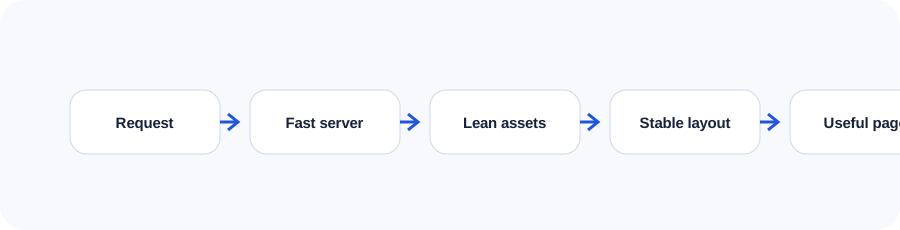
Reduce server and network delay
Choose hosting appropriate to the application, cache safe responses, compress transfer data and use a content delivery network when geography or traffic warrants it. Redirect chains, slow database queries and overloaded plugins can delay every resource that follows.
Design an image pipeline
Serve dimensions close to the rendered size, use modern formats where appropriate, compress carefully and provide responsive image candidates. Lazy-load below-the-fold media while prioritizing the likely hero image.
Control CSS, JavaScript and fonts
Remove unused code, split bundles where it helps, defer non-critical scripts and avoid third-party tags without a clear business purpose. Fonts should use limited families and weights, efficient formats and sensible fallbacks.
Prevent layout shifts
Reserve space for images, embeds and dynamic components. Avoid inserting late content above what the person is reading. Font strategies should minimize sudden text reflow.
Create a performance budget
Set limits for page weight, JavaScript, image size and third-party scripts. Test representative templates on mobile conditions before launch, then monitor trends after new campaigns and integrations are added.
Use the companion workbook
Turn the lesson into a practical review with prompts, checklists and space for project notes.
Frequently asked questions
What is a good page-load time?
There is no single universal time. Prioritize fast useful rendering, stable layout and responsive interaction for the audience's real devices and networks.
Does a CDN make every site faster?
Not automatically. It can reduce geographic transfer delay and improve caching, but configuration and origin performance still matter.
Do animations hurt performance?
They can when they trigger expensive layout or paint work. Motion can remain smooth when used selectively and implemented with appropriate properties.
Why are third-party scripts risky?
They add network, execution, privacy and reliability costs that the site owner may not control.
How often should performance be tested?
Test during development, before launch and after meaningful design, content, analytics or advertising changes.
Continue learning
Use the next guide, an interactive tool or the related service page to turn this lesson into a practical decision.